Tuesday, 29 October 2019

How to Delete Your Siri Audio History and Opt Out of Siri Audio Sharing

This article explains how to delete your Siri audio interaction history and opt out of sharing audio recordings with Apple on iPhone, iPad, and iPod touch.

Earlier this year, it was discovered that Apple hired contractors to listen to a small percentage of anonymized ‌Siri‌ recordings to evaluate the virtual assistant's responses with the purpose of improving accuracy and reliability.

The Guardian revealed that Apple employees working on ‌Siri‌ often heard confidential details while listening to the audio recordings. Apple was subsequently criticized for not making it clear to customers that some of their ‌Siri‌ recordings were being used to improve the service.

Soon after the report, Apple suspended its ‌Siri‌ grading practices and promised users that it would introduce tools in a forthcoming update that would allow them to opt out of sharing their audio recordings.

With the release of iOS 13.2 in October, those new tools arrived. Apple now includes an option on iPhone and ‌iPad‌ that allows users to delete their ‌Siri‌ and Dictation history and opt out of sharing audio recordings. The following steps show you how to do both.

How to Opt Out of ‌Siri‌ Audio Sharing


  1. Launch the Settings app on your iPhone, ‌iPad‌, or ‌iPod touch‌.
  2. Scroll down and tap Privacy.
    settings
  3. Scroll to the bottom of the Privacy screen and tap Analytics & Improvements.
  4. If you don't want to let Apple review your recordings, toggle off the switch next to Improve ‌Siri‌ Dictation.
    settings
Note that you can tap the link under the toggle for more information relating to Apple's ‌Siri‌ analytics policy.

How to Delete Your ‌Siri‌ Audio History


  1. Launch the Settings app on your iPhone, ‌iPad‌, or ‌iPod touch‌.
  2. Scroll down and tap ‌Siri‌ & Search.
    settings
  3. Tap ‌Siri‌ & Dictation History.
  4. Tap Delete ‌Siri‌ & Dictation History.
Apple will inform you that your request was received and that your ‌Siri‌ and dictation history will be deleted. That's all there is to it.

In addition to these new ‌Siri‌ and Dictation-related privacy features, Apple also says it is making further changes to its human grading process that will minimize the amount of data that reviewers have access to.

Related Roundups: iOS 13, iPadOS
Tag: Siri

This article, "How to Delete Your Siri Audio History and Opt Out of Siri Audio Sharing" first appeared on MacRumors.com

Discuss this article in our forums


from MacRumors: Mac News and Rumors - All Stories https://ift.tt/2MXyumw

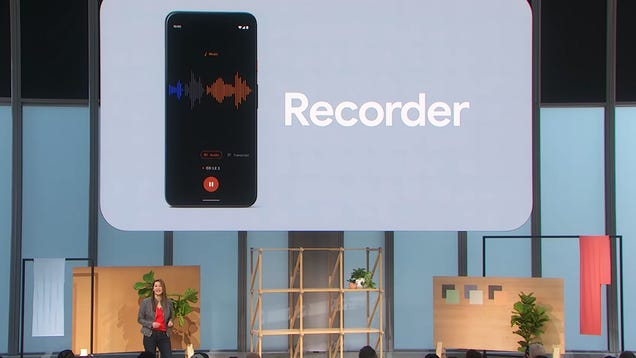
The New Pixel 4 Real-Time Transcription App Is Amazing—What to Use If You Can't Get It

Among the new features onboard the Pixel 4 and Pixel 4 XL phones is a Recorder app that can transcribe spoken audio in real-time—a tool that could prove hugely useful in lectures, interviews, and more besides. It works offline too, but it’s not your only option for converting speech into text.

Read more...


from Gizmodo https://ift.tt/2WmDNiB

David Benioff & D.B. Weiss Are No Longer Making Star Wars Movies

In a bit of shocking news that broke early Tuesday morning, Game of Thrones creators David Benioff & D.B. Weiss are no longer making their Star Wars movies.

Read more...


from Gizmodo https://ift.tt/34blCiy

Apple Pulls iOS 13.2 After Users Complain Update Bricks HomePods

While the HomePod delivers the impressive audio quality, it hasn’t quite enjoyed the widespread success of competing smart speakers like the Google Home Mini and Amazon Echo. And now, things have just gotten worse now that Apple’s iOS 13.2 patch has reportedly started bricking HomePods.

Read more...


from Gizmodo https://ift.tt/2qWFbwN

Tuesday's Best Deals: Puma Sale, Luigi's Mansion 3, Dr. Bronner's Sampler, Anker Flashlights, and More

A Kyoku knife exclusive, Yamaha soundbar, sweater stone, and a powerful juicer lead off Tuesday’s best deals from around the web.

Read more...


from Gizmodo https://ift.tt/2MWy6EP