Tuesday, 24 December 2019

How to Use the YouTube App's New Voice Search Feature When Casting to a Smart TV

The official YouTube app for iOS has gained a new voice search feature that aims to make searching for content easier when you're casting YouTube video to a smart TV.


Once you've connected your iPhone or iPad to a smart TV, you can search with your voice via the mobile app, as well as use it to pause, play, and adjust the volume on your TV. Here's how it works.

  1. Download and launch the YouTube app on your ‌iPhone‌ or ‌iPad‌.
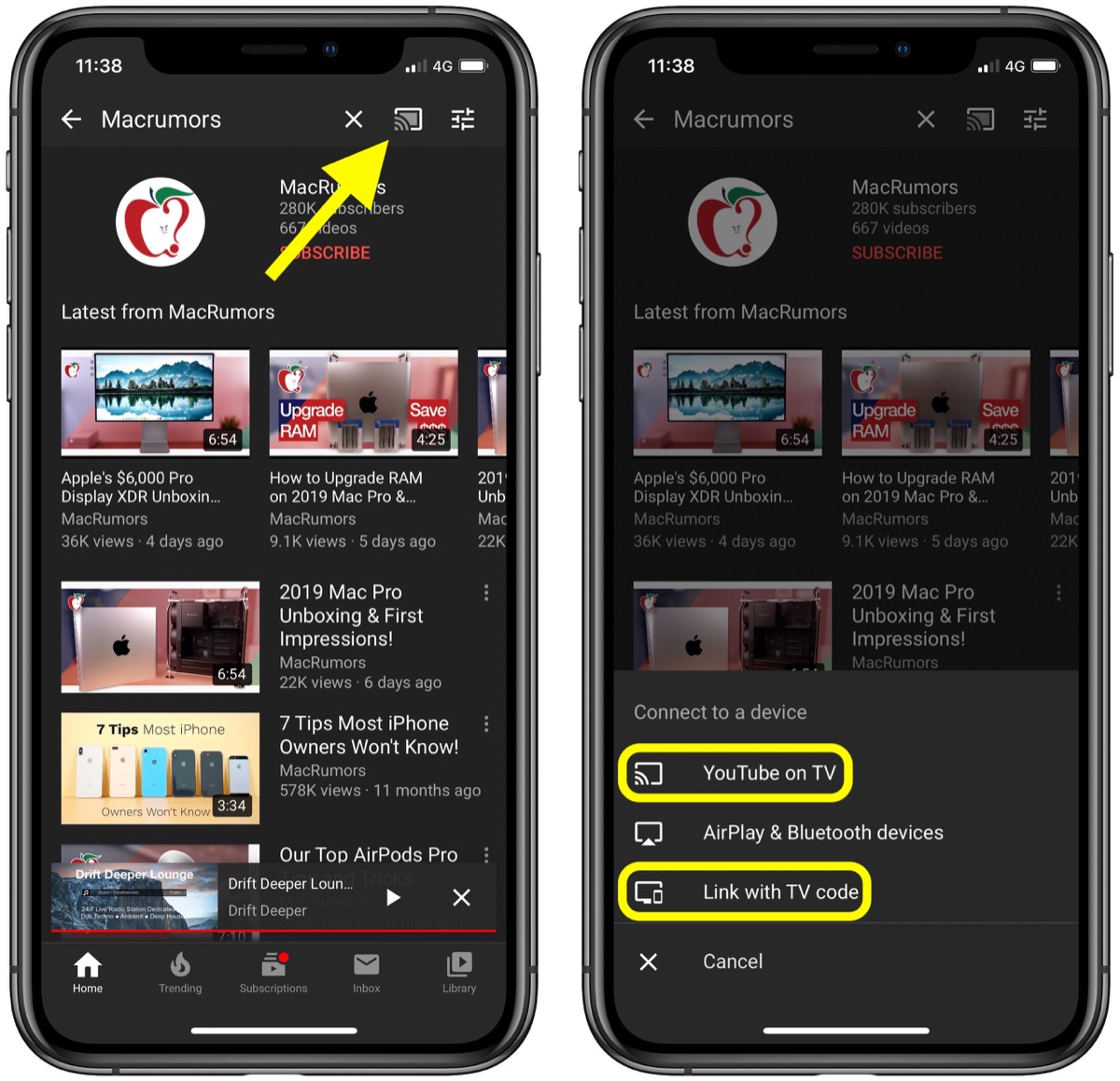
  2. Tap the Cast button at the top of the Home tab.
  3. Launch the YouTube app on your smart TV.
  4. If you haven't connected your iOS device to your smart TV before, select Link with TV code and then tap LEARN NOW under "Learn how to get a TV code." Otherwise, tap YouTube on TV to connect.
    youtube
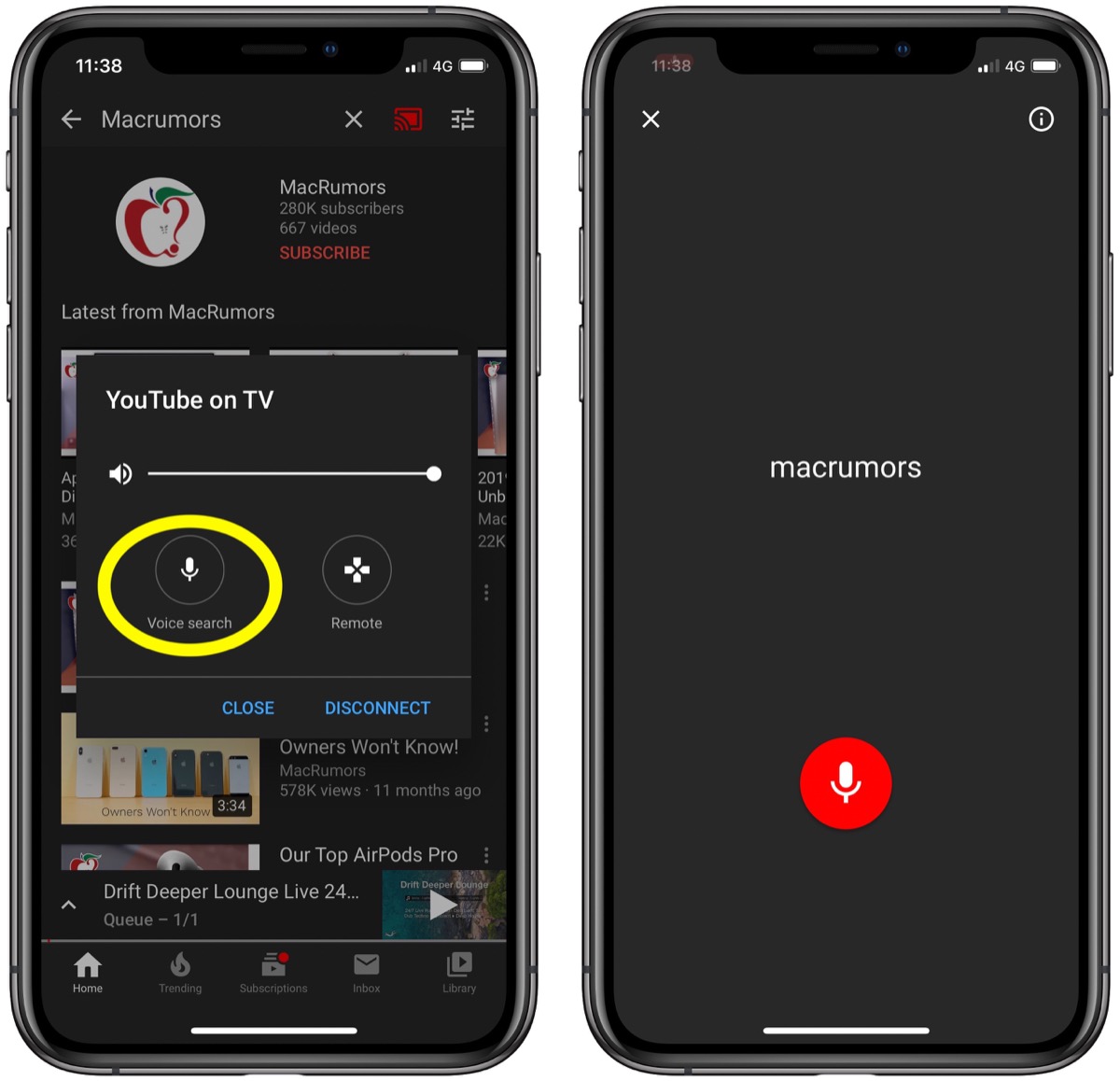
  5. When your iOS device is connected to your TV, you'll see an overlay on your device's screen with a volume slider, a Remote button, and the new Voice search button – tap it.
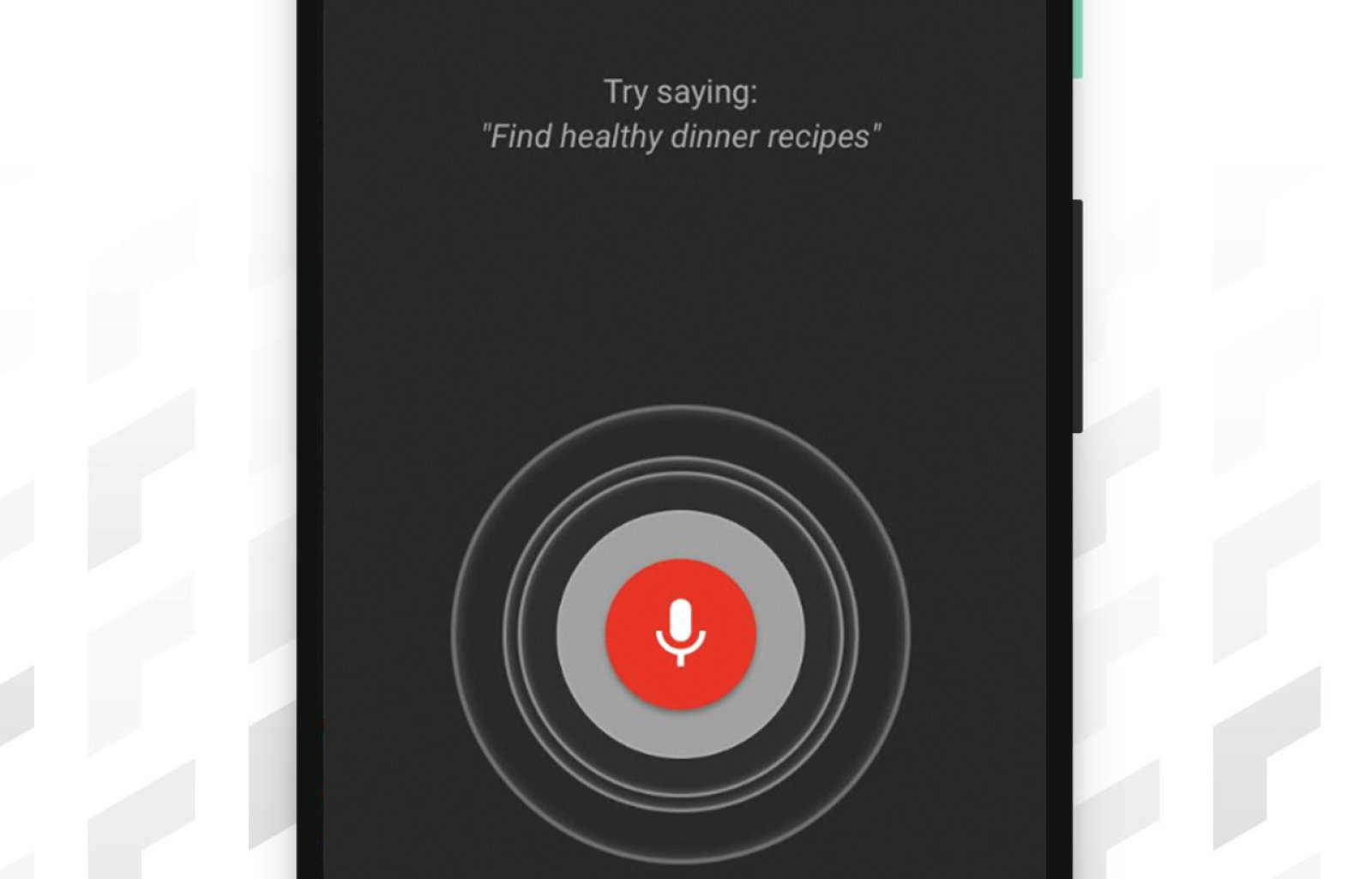
  6. Tap the red microphone icon, and when you hear the audible prompt, say the word or phrase that you want to search on YouTube.
    youtube
You should see the results of your voice search appear on your TV. And don't forget, you can use the Remote option in the YouTube app's mobile interface to navigate and select the content that shows up on your TV.

According to German site SmartDroid, YouTube is currently working on improving the remote interface for controlling YouTube casting. The updated controls are said to include quicker access to captions and playback quality settings, but there's no word on when we can expect them to roll out for the iOS YouTube app.

Tags: YouTube, TV

This article, "How to Use the YouTube App's New Voice Search Feature When Casting to a Smart TV" first appeared on MacRumors.com

Discuss this article in our forums


from MacRumors: Mac News and Rumors - All Stories https://ift.tt/2Sp377s

Twitter Bans Animated PNG Image Files After Attackers Target Users With Epilepsy

Twitter has banned the use of animated PNG image (APNG) files on its platform, after attackers targeted the Epilepsy Foundation's Twitter account using images that could potentially causes seizures in photo-sensitive individuals.

The company said it had discovered a bug that allowed users to bypass its autoplay settings and enabled several animated images to be attached to a single tweet using the APNG file format.
"We want everyone to have a safe experience on Twitter," the company said in a tweet sent from its Accessibility account on Monday.

"PNGs were fun, but they don't respect autoplay settings, so we're removing the ability to add them to tweets. This is for the safety of people with sensitivity to motion and flashing imagery, including those with epilepsy."

The attacks on the Epilepsy Foundation's Twitter account occurred in November, which was National Epilepsy Awareness Month. Twitter said that it was not aware that APNG files had been used, but the bug meant that they had the potentially to be harmful, so it had decided to ban them on the social media platform.

It's unknown how many people may have been affected by the animated images, which exploited strobing light effects with malicious intent. The Epilepsy Foundation said it had filed criminal complaints against the accounts believed to have been responsible.

In addition to the seizure risk, Twitter said the APNGs also used up a lot of data and in some cases could be a direct cause of app crashes. As such, from now on only GIFs will be able to animate images.

Twitter also said that it would look into building a similar feature in the absence of APNGs, such as adding alt-text to GIFs, which will help make them more accessible to people who depend on screen readers to navigate the internet.

Tag: Twitter

This article, "Twitter Bans Animated PNG Image Files After Attackers Target Users With Epilepsy" first appeared on MacRumors.com

Discuss this article in our forums


from MacRumors: Mac News and Rumors - All Stories https://ift.tt/2ZknMuK

Monday, 23 December 2019

AirPods Pro Have Significantly Less Latency Than AirPods [Chart]


Apple's new AirPods Pro have significantly less latency than the first and second generation AirPods, according to testing by Stephen Coyle.



Following up on a previous report that examined latency issues with Bluetooth audio devices, Coyle found that the new AirPods Pro easily outperform the originals.

Looking to the AirPods first, there's a very encouraging trend occurring. They drop from 274ms to 178ms going from the first to second generation, and the AirPods Pro take it down even further, to 144ms. While a 130ms reduction may not seem like a lot, the perceptual difference from this makes the AirPods Pro tantalisingly close to seamless.


Spotlight Deal:
Amazon's Last Minute Holiday Shopping Deals

Share Article:
Facebook,  Twitter,  LinkedIn,  Email,  Reddit,  Digg,  Delicious,  StumbleUpon

Follow iClarified:
Facebook,  Twitter,  LinkedIn,  Newsletter,  App Store,  YouTube


from iClarified - Apple News and Tutorials https://ift.tt/2rrC804

Why a Judge's Order to Let Keystone XL Pipeline Construction Begin Is Still a Win

President Donald Trump is determined on ensuring the Keystone XL Pipeline becomes a reality, including trying to squash lawsuits against him and the project. A court ruled Friday, however, against his motion to dismiss an ongoing lawsuit that could stop the 1,184-mile-long crude oil pipeline.

Read more...


from Gizmodo https://ift.tt/2ZhprS1

Uber, Lyft Win Court Fight Over How Long Drivers Can Cruise Without Passengers in NYC

Beleaguered taxi giants Uber and Lyft won a break on Monday, scoring victory in a New York state court dispute over a law that would have dramatically slashed the number of cars between jobs that the firms let clog up Manhattan streets, Reuters reported.

Read more...


from Gizmodo https://ift.tt/35TCiMy