Friday, 21 February 2020

Google Testing New Double-Tap Gesture on Back of Pixel Phones for Launching Camera, Assistant, and More

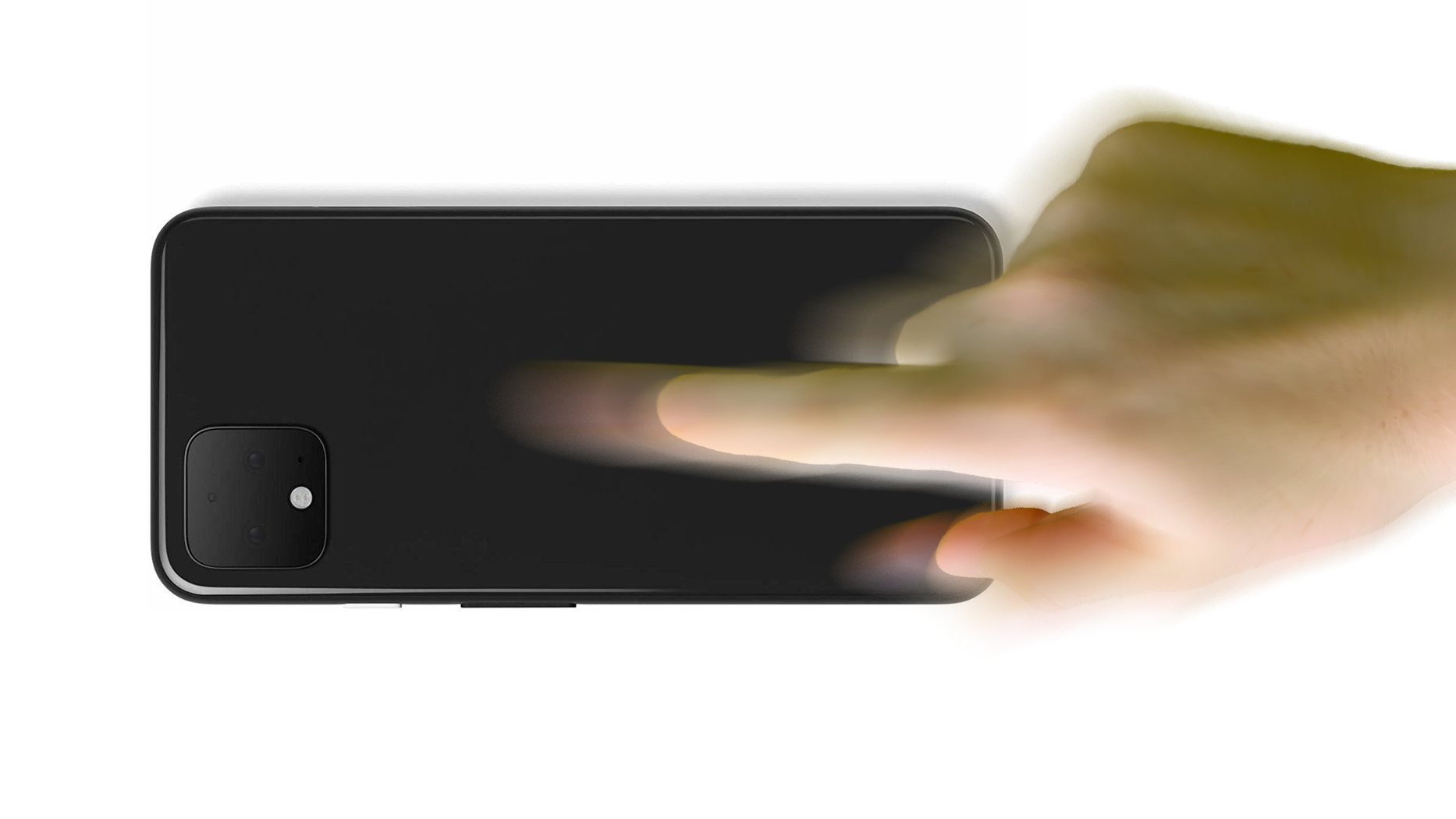
Google is reportedly testing an interesting new gesture for its Pixel smartphones that lets users double-tap the back of the handset to control various functions.


XDA-Developers discovered the new gesture system, codenamed "Columbus," in the Android 11 developer preview for Pixel phones. According to the site, the double-tap gesture can be used to perform the following actions:
  • Dismiss timers

  • Snooze alarms

  • Launch the camera

  • Invoke Google Assistant

  • Play or pause media

  • Collapse the status bar

  • Silence incoming calls

  • Unpin notifications

  • Other "user-selected action"

The double-tap gesture apparently doesn't require any special hardware, as it relies on the phone's gyroscope and accelerometer. XDA-Developers managed to get the gesture working on a Pixel 2 XL and Pixel 4 XL, both running Android 11 Developer Preview 1. You can see the gesture being used to launch the Camera app in the clip below.


GIF via XDA-Developers

To prevent the gesture being activated unintentionally, Google has also added so-called "gates" to stop the double tap actions from taking effect. Some of the currently implemented gates are said to include camera visibility, charging status, keyguard, and more. XDA believes the Settings app will also contain gesture training activities for the user to perform in order to refine its responsiveness.

Google's own-branded Android phones have included innovative interactive gestures before, such as fingerprint gestures, Active Edge, and Motion Sense on the Pixel 4 series. Active Edge lets users squeeze the sides of the device to quickly activate Google Assistant, while Motion Sense allows users to skip songs, snooze alarms, and silence phone calls by waving a hand in front of the phone.

Apple has also experimented with new ways of interacting with iPhones, including the use of touch and touchless gestures. A 2018 rumor from Bloomberg suggested Apple is working on iPhones that will use touchless gesture controls, allowing users to hover over the iPhone to navigate through the iOS operating system using a finger, but without having to touch the display.

If Apple moved forward with that rumored gesture technology, it could show up in iPhones as early as 2020, according to Bloomberg's two-year timeline for the feature. It's not yet clear if Apple is continuing to experiment with gestures, though, as we haven't heard any information on such a feature coming to the 2020 ‌‌iPhone‌‌ lineup.

What do you think of Google's rear double-tap gesture? Is it something you'd like to see in a new-generation ‌‌iPhone‌‌, or are touch-less gestures the future? Let us know in the comments.


This article, "Google Testing New Double-Tap Gesture on Back of Pixel Phones for Launching Camera, Assistant, and More" first appeared on MacRumors.com

Discuss this article in our forums


from MacRumors: Mac News and Rumors - All Stories https://ift.tt/2VbA6ha

Clone Wars Is Back, and Thank God, It's More Clone Wars

Some thought this day would never arrive, but here we are: after years away, thinking it was gone for good, The Clone Wars has returned. And as far as it’s concerned, it’s like it never went away.

Read more...


from Gizmodo https://ift.tt/2SPf5ax

Trump Regime Overruled CDC, Flew Coronavirus-Infected Americans on Plane With Healthy People: Report

The U.S. State Department overruled the advice of the Centers for Disease Control and Prevention (CDC), choosing to bring 14 Americans who were infected with the new coronavirus back from Japan, according to the Washington Post. The new report raises serious questions about the U.S. government’s decisions at a time…

Read more...


from Gizmodo https://ift.tt/32fZGDd

WhatsApp's Dark Mode for iPhone Inches Closer to Release, Requires iOS 13

WhatsApp's Dark Mode for iOS got one step closer today, with the long-awaited feature rolling out to all beta users on TestFlight. Gleaning details from the latest 2.20.30.25 build, WABetaInfo has provided a few more nuggets on what iPhone users can expect.


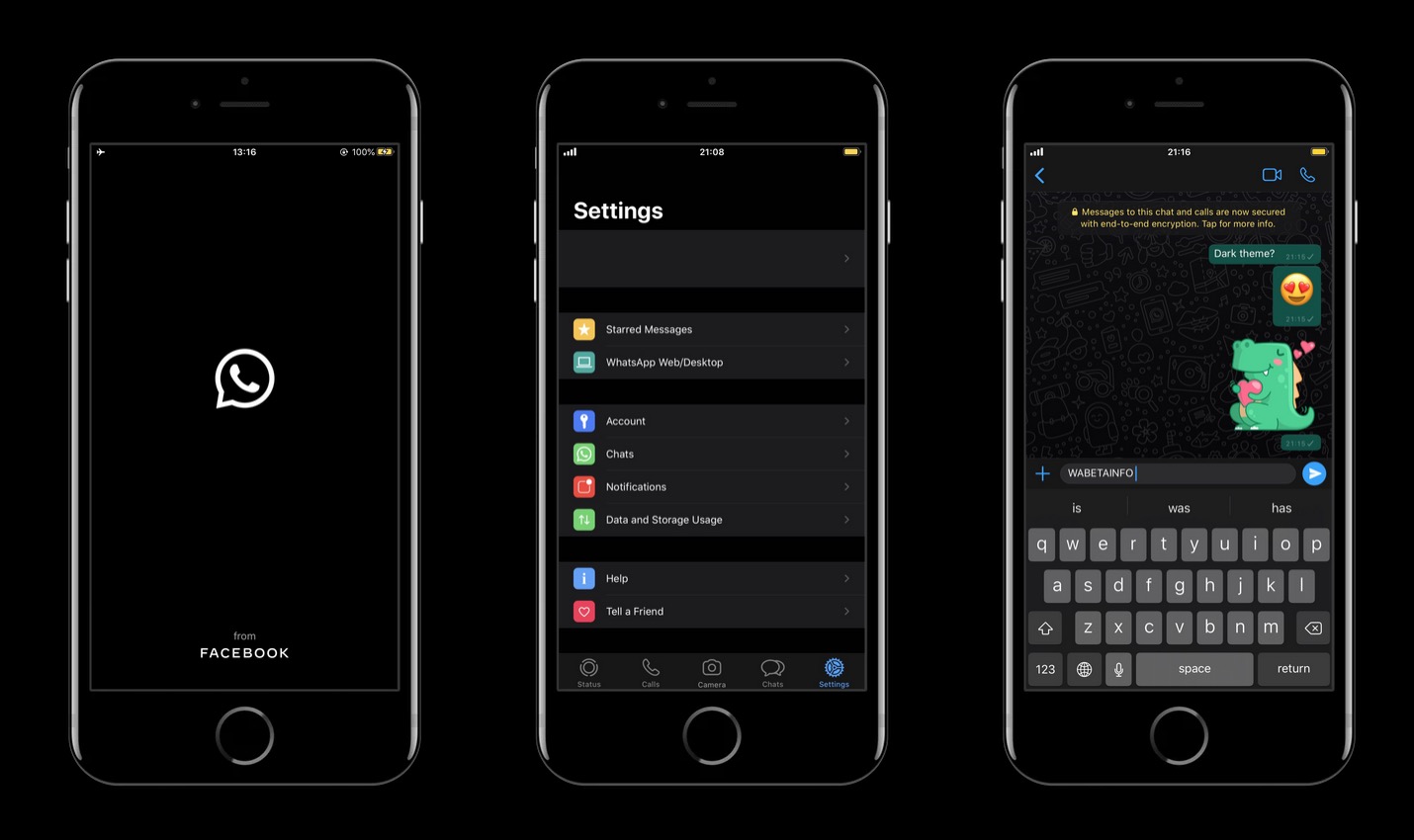
First off, the new Dark Theme is a better one than the previous version WhatsApp was working on, with no battery drain and support for Apple's official iOS 13 APIs. So like Instagram, it respects Apple's guidelines and syncs with the system-wide ‌Dark Mode‌ setting, switching on and off if the user has set it to Automatic.

Given that WhatsApp uses Apple's APIs, the dark theme won't be available for users running iOS versions earlier than ‌iOS 13‌. In other words, you'll need an ‌iPhone‌ 6s or later to be able to use it.

There's a redesigned dark splash screen with the WhatsApp logo, which makes way for a dark chats list screen. All the other screens are similarly fully darkened.

Meanwhile in chat threads, WhatsApp will show dark chat bubbles and a dark version of the chosen wallpaper – this part's dynamic, so if you switch the theme, the wallpaper style changes too. WhatsApp has also done some extensive work on a raft of Dark Mode-friendly solid colors.

According to WABetaInfo, this latest WhatsApp beta build supports an additional dark theme setting that uses lighter dark colors for some UI elements if the user has the high contrast setting enabled.

Away from ‌Dark Mode‌, this beta also includes a noteworthy new feature in the form of an advanced search function, adding a categorical breakdown in the search bar with options for filtering the search through photos, GIFs, links, videos, documents and audio.

Note that the WhatsApp TestFlight beta program on iOS is already at maximum capacity, so if you're not already on it, you'll have to wait for the build to go public, which could be any day now.


This article, "WhatsApp's Dark Mode for iPhone Inches Closer to Release, Requires iOS 13" first appeared on MacRumors.com

Discuss this article in our forums


from MacRumors: Mac News and Rumors - All Stories https://ift.tt/38IHuEu

YouTube Music Readies Free Upload Feature, Google Play Music Migration Service Coming

YouTube Music appears to be readying a feature that proved a big draw for Google Play Music fans – the ability to upload your own music collection to the cloud. Google has published a new support document explaining how music uploads will work in YouTube Music.


If you're on a computer you'll be able to add your personal music library either by dragging files to any surface on music.youtube.com, or by clicking on your profile picture and selecting "Upload music." The feature supports FLAC, M4A, MP3, OGG and WMA files. The support document notes that music uploads cannot be completed in the YouTube Music mobile app, uploads will not influence the user's music recommendations in YouTube Music, and uploads stay private.

To view or manage uploaded music, you can tap (in the app) or click "Uploads" in the Albums section of the library. The big bonus here is that uploaded songs can be played in the background, ad-free and offline - even if you're not a YouTube Music Premium subscriber. It's basically the same feature Google Play Music offered, so that's good news for anyone who wants to switch to Google's new music streaming service.

Google is asking users looking to transfer their entire Google Play Music library to "stay tuned" for a seamless way to do so. "Nothing is changing with Google Play Music right now," says the document. "When we do replace Google Play Music with YouTube Music, we'll be sure to give you plenty of advance notice."


This article, "YouTube Music Readies Free Upload Feature, Google Play Music Migration Service Coming" first appeared on MacRumors.com

Discuss this article in our forums


from MacRumors: Mac News and Rumors - All Stories https://ift.tt/38MFIlD