Tuesday, 28 April 2020

Ulysses 19 Brings Material Sheets, Mouse Support on iPad, Keywords in Markdown Files, and More

Popular writing app Ulysses received its nineteenth major update today, adding some notable new features and bringing full mouse and trackpad support on iPadOS.


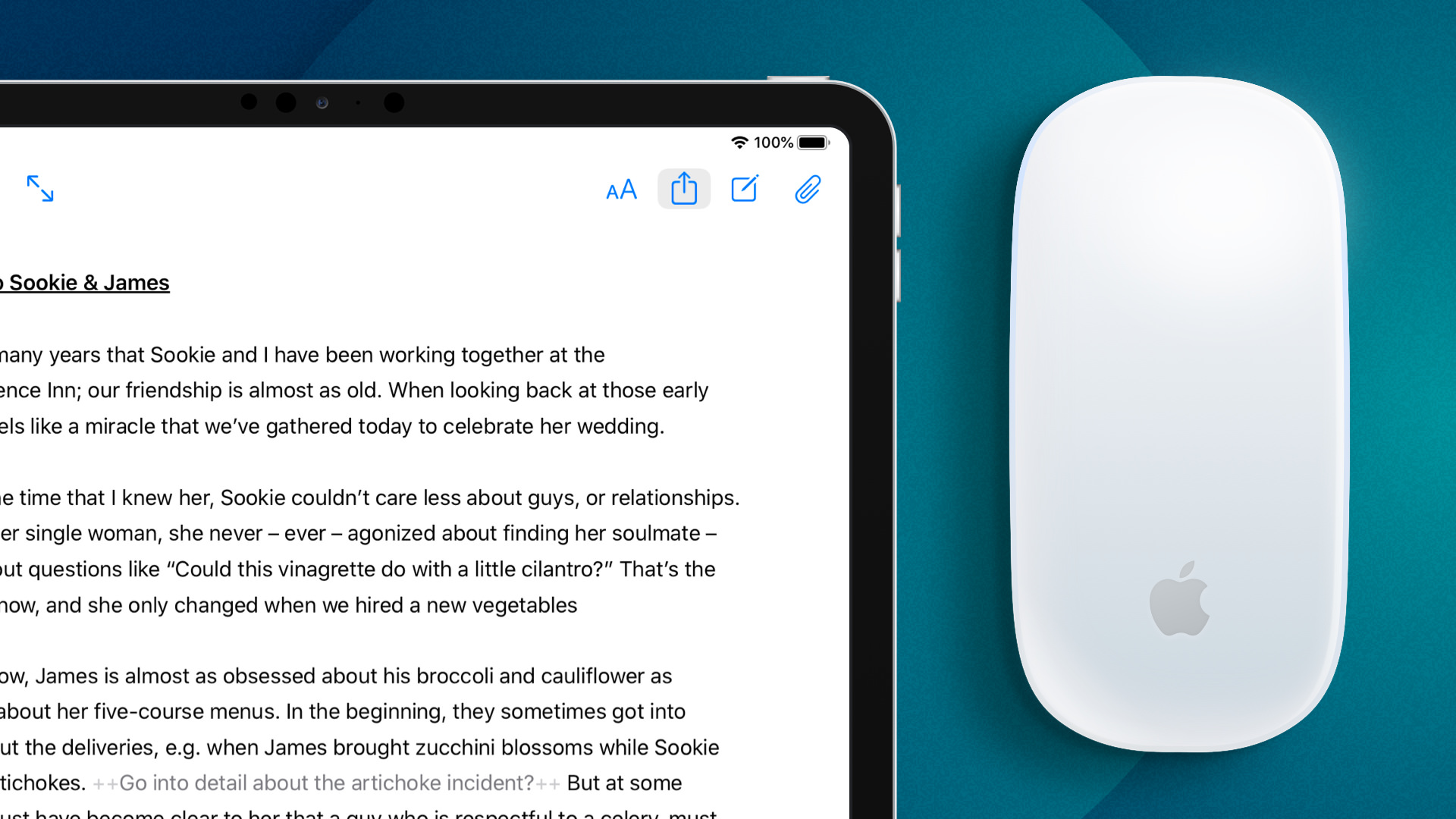
As mentioned, version 19 of Ulysses adds native support for Apple's new iPad mouse and trackpad features, which were announced on March 24 as part of ‌iPadOS‌ 13.4.


What that means in practice is that the round cursor changes shape or shifts out the way as it moves across different interactive elements in the Ulysses interface. The cursor will also turn into an "I-beam" over text for the purpose of editing.

Meanwhile, Ulysses users now have the ability to indicate selected texts or notes as "material," or things they've written or collected in the app that aren't meant to be part of a final text.
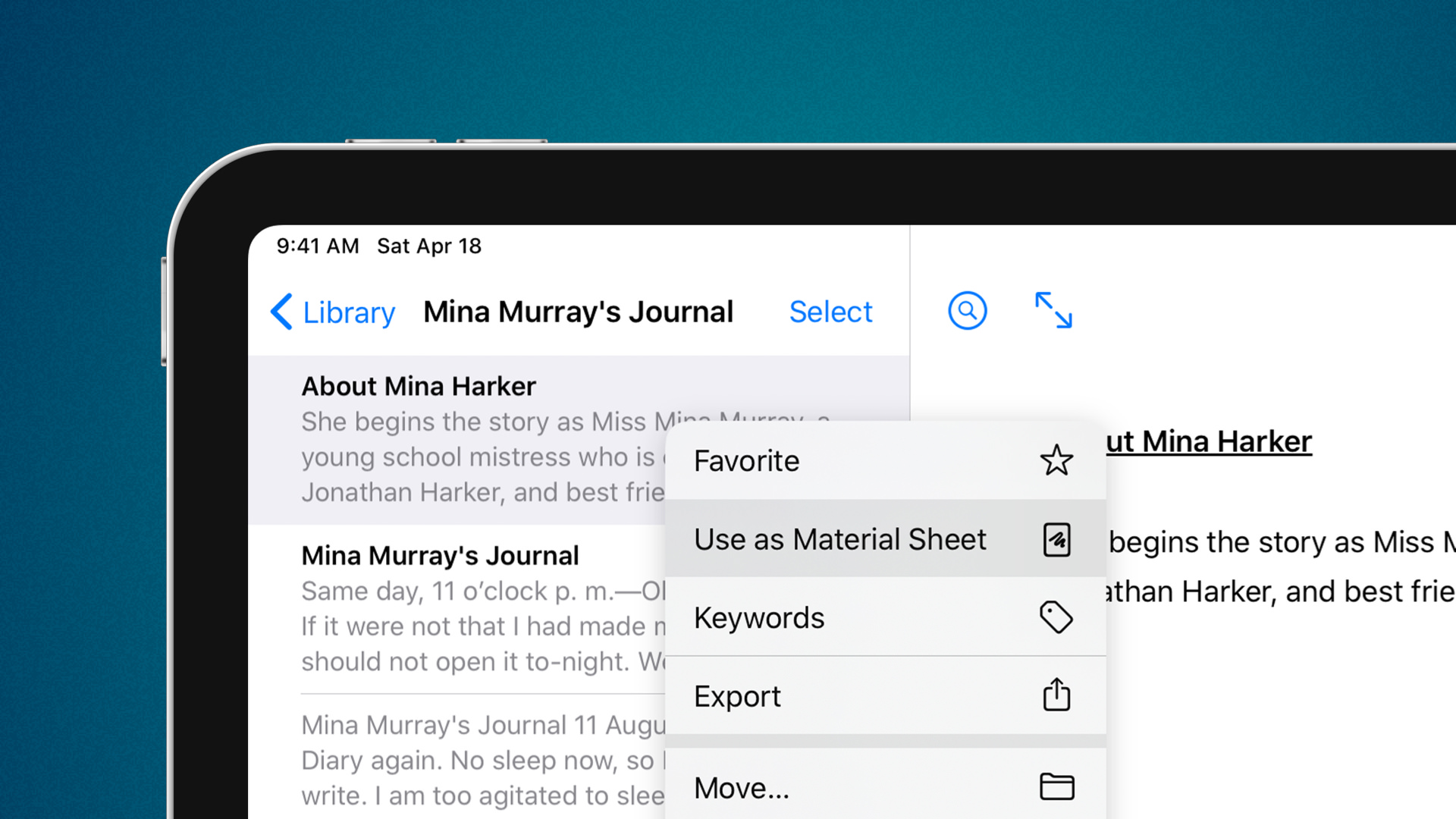

Thanks to a visual marker, material "sheets," as they’re called in the Ulysses terminology, are easy to recognize. By default, content marked as material is excluded from export and statistics.
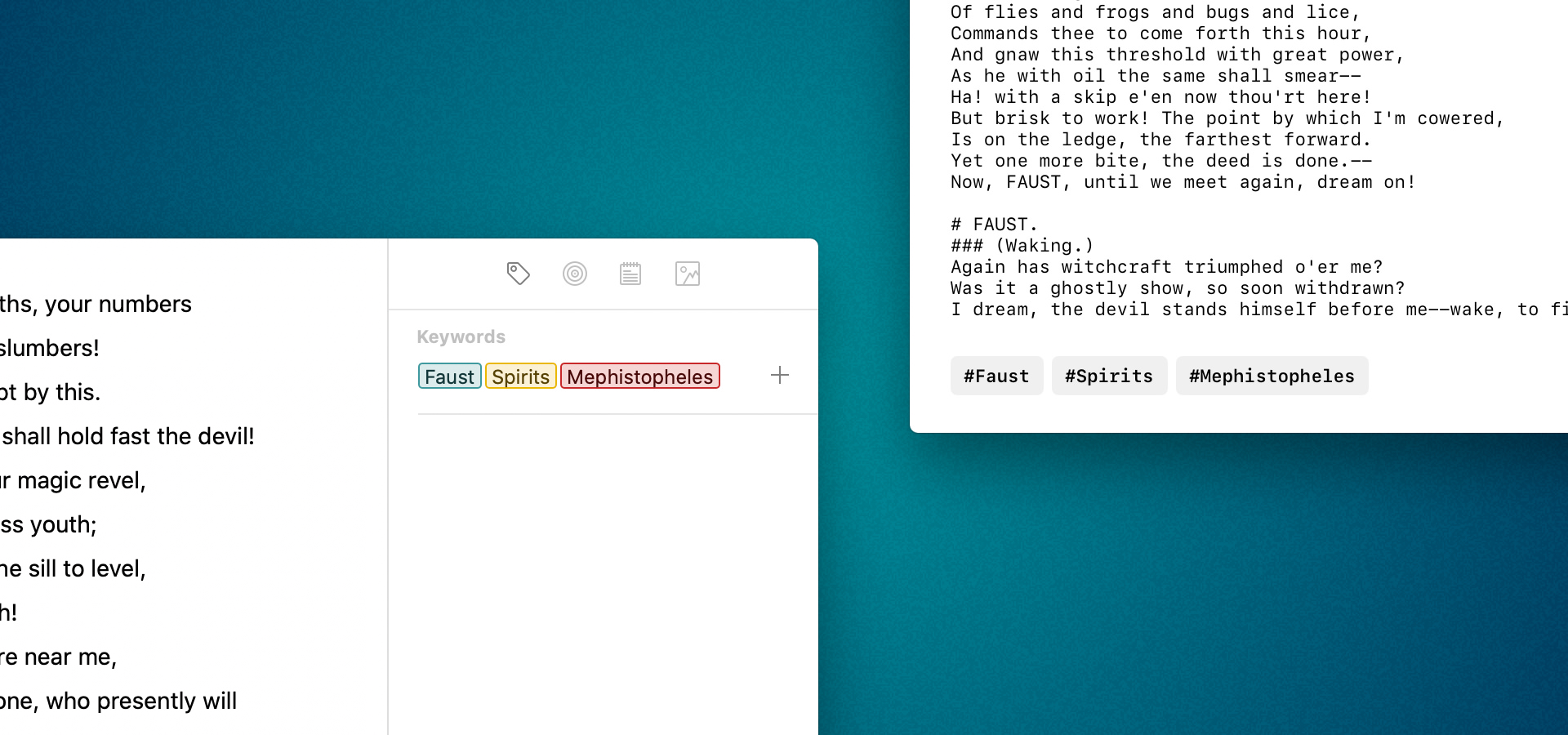

In Ulysses 19, the developers have also improved the compatibility of Ulysses keywords in Markdown files. They can now be written out at the end of a text and marked with a hash. This allows Markdown editors such as Bear Notes or iA Writer to interpret them as keywords as well. Conversely, Ulysses will now recognize keywords in Markdown files and make them usable in the app.
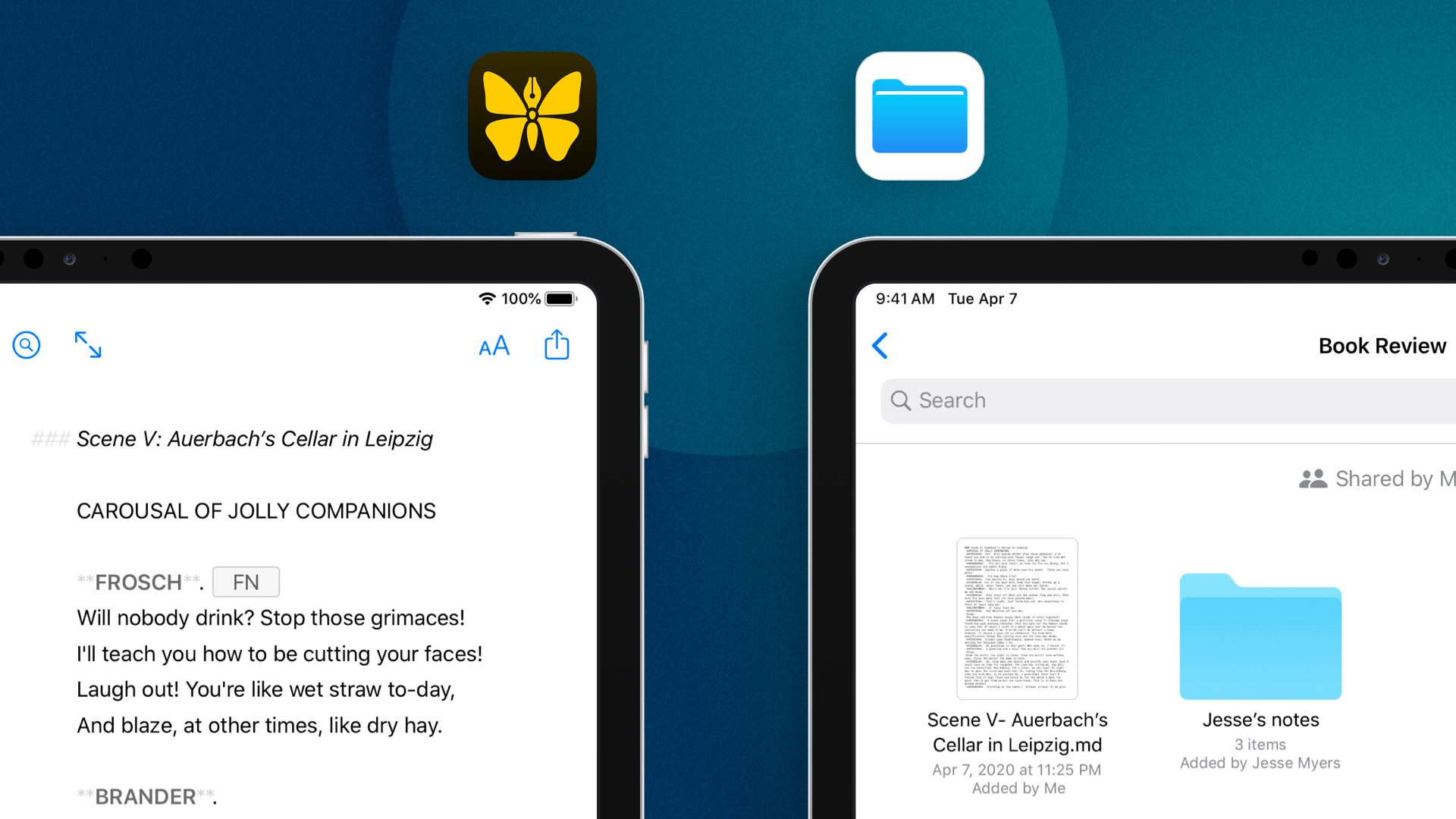

Elsewhere on ‌iPad‌ and iPhone, Ulysses 19 adds the ability to embed external folders from locations in the Files app, such as cloud storage providers or Git clients, and edit the contained files with Ulysses. Users also now have the option to export single backups of their text libraries and import them back into Ulysses.

Other additions and improvements in this version include new search filter criteria such as "has goal," "has note attachment" or "is material," a new editor font called SF Mono, improved initial download performance when syncing with Dropbox, and a new toilet paper group icon.

Coinciding with the release of Ulysses 19, the developers are set to open a beta program for Ulysses 20. “We're working on a few awesome new features that need thorough testing, at best with a large number of participants," said Marcus Fehn, Ulysses' creative head of development.

Ulysses can be downloaded for free on the App Store and the Mac App Store, with version 19 rolling out to existing users today. After a 14-day trial period, a subscription is required to unlock the app on all devices. A monthly subscription costs $4.99, while a yearly subscription is $39.99.

Students can use Ulysses at a discounted price of $11.99 per six months. The discount is granted from within the app. Ulysses is also included in Setapp, the subscription-based service for Mac applications created by MacPaw.
Tag: Ulysses

This article, "Ulysses 19 Brings Material Sheets, Mouse Support on iPad, Keywords in Markdown Files, and More" first appeared on MacRumors.com

Discuss this article in our forums


from MacRumors: Mac News and Rumors - All Stories https://ift.tt/2Yc0wkj

Journalist Allegedly Spied on Zoom Meetings of Rivals in Hilariously Dumb Ways

Financial Times reporter Mark Di Stefano allegedly spied on Zoom meetings at rival newspapers the Independent and the Evening Standard to get scoops on staff cuts and furloughs due to the coronavirus pandemic, according to a report from the UK’s Independent. And Di Stefano he did a comedically bad job of covering his…

Read more...


from Gizmodo https://ift.tt/2W4jDdo

How to Group Video Chat With Up to Eight People in WhatsApp

WhatsApp has upgraded its end-to-end encrypted video call feature, which now allows groups of up to eight participants to chat together, up from the previous limit of four.


WhatsApp has been gradually developing its group video call capabilities through beta builds, as rival video call services like Zoom, FaceTime and Skype have exploded in popularity amid the ongoing stay-at-home measures. At the same time, Facebook has released Messenger Rooms, enabling up to eight people to join in on a group call.

There are two ways to initiate an encrypted group voice or video call in WhatsApp with up to eight people (that's seven other people including yourself). Just make sure that you and anyone you want to call has updated to version 2.20.50 of WhatsApp, or it won't work.

The easiest way to initiate a call is to open an active group chat and tap the Video Call or Phone Call button in the top right corner of the screen. If the group has more than eight participants, you'll be asked which contacts you want to call, otherwise the call will initiate automatically.

Alternatively, you can initiate a WhatsApp group call including anyone in your contacts list. Simply follow the steps below.
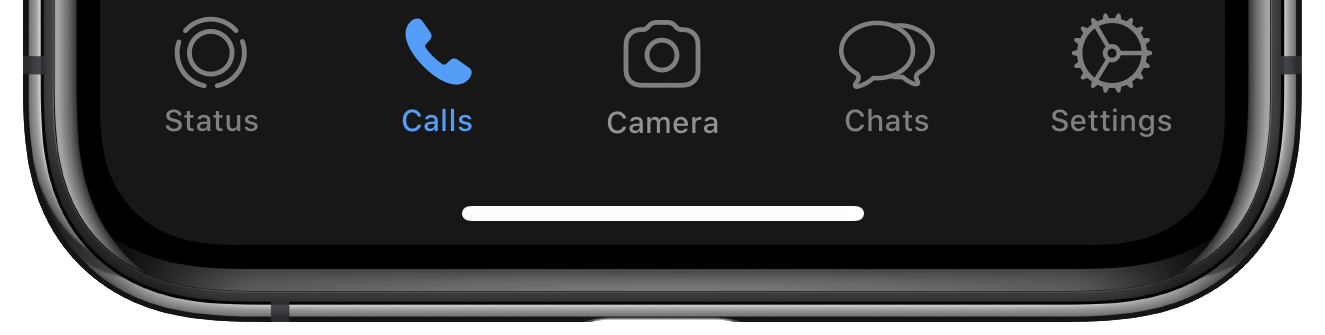
  1. Launch WhatsApp and select the Calls tab at the bottom of the screen.
    WhatsApp
  2. Tap the Call icon in the top-right corner.
    WhatsApp
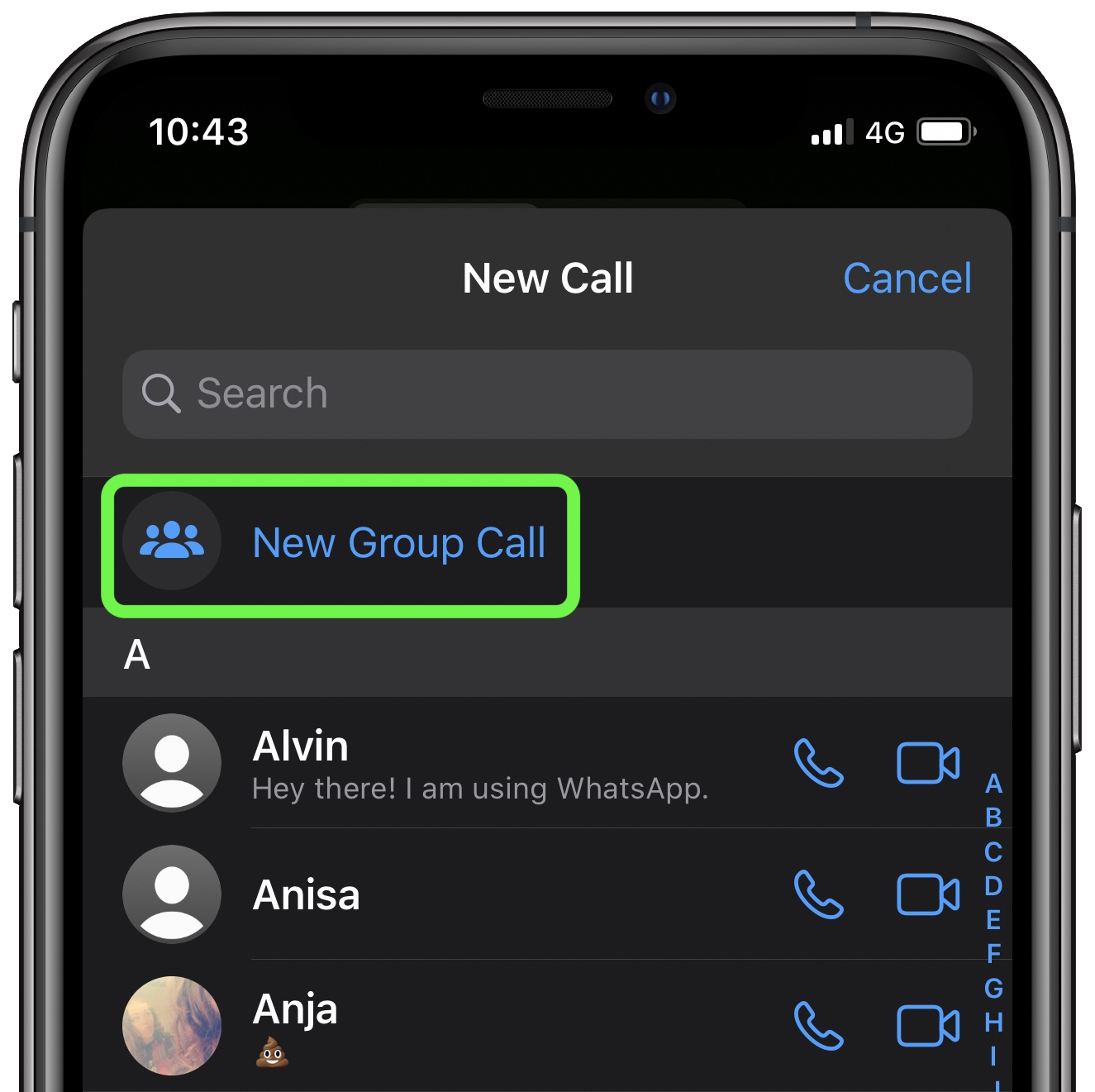
  3. Select New Group Call at the top of the contact list.
    WhatsApp
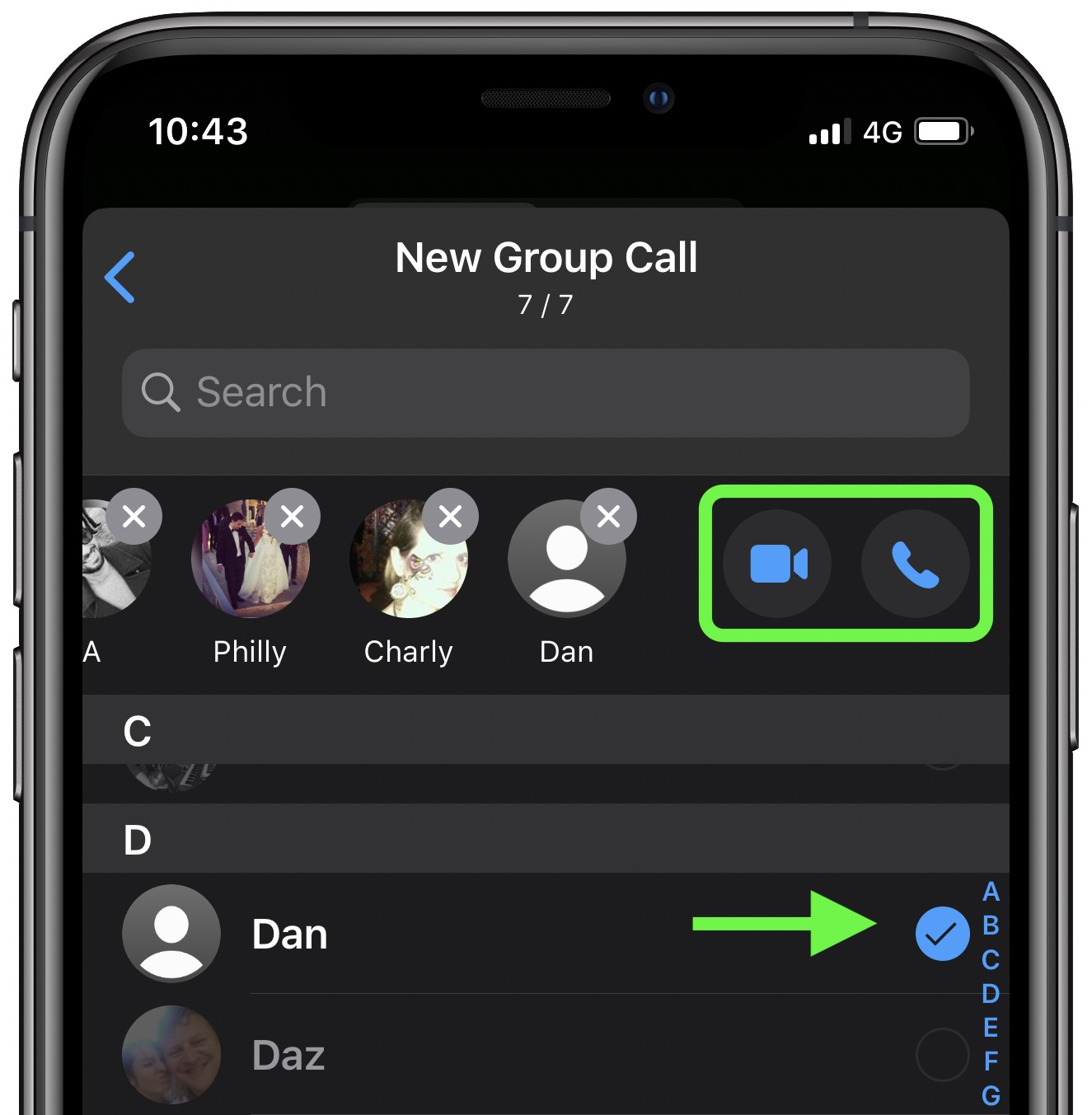
  4. Add up to seven participants by tapping on them in your contacts.
  5. When you've added the participants, tap the Video Call button (the camera icon) or the Audio Call option (the phone icon) to initiate the call.
    WhatsApp
If any of the participants you chose are using an older version of WhatsApp, you'll be notified and the call won't connect until they've all updated.
This article, "How to Group Video Chat With Up to Eight People in WhatsApp" first appeared on MacRumors.com

Discuss this article in our forums


from MacRumors: Mac News and Rumors - All Stories https://ift.tt/2ScDbem

Westpac Becomes Last of Australia's Four Big Banks to Support Apple Pay

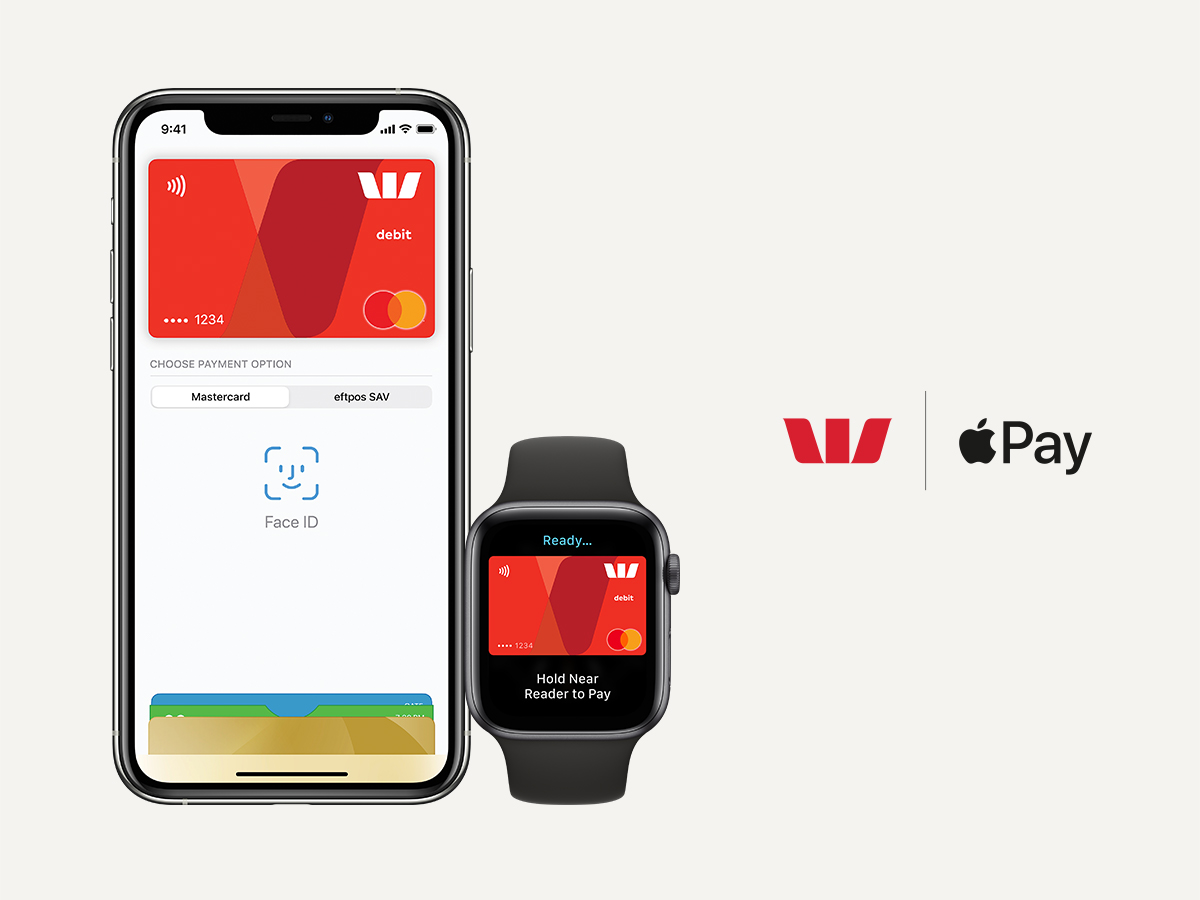
Westpac has become the last of Australia's big four banks to announce Apple Pay support for its customers. The country's oldest bank revealed on Tuesday that it had enabled the new service, following similar moves by ANZ, the Commonwealth Bank, and National Australia Bank.

"We are pleased to announce that Westpac customers can now use ‌Apple Pay‌ to make fast and secure payments. This comes at an important time for our customers, who are looking for an alternative to cash," Westpac Group chief executive of consumer David Lindberg said.

"We have seen a significant increase in customers using digital banking in recent weeks as more Australians stay at home. With the introduction of ‌Apple Pay‌, it will now be even easier for customers to pay for goods and services in stores, via apps or online without the need for a card or wallet."
As noted by ZDNet, Westpac actually announced the adoption of ‌Apple Pay‌ across several of its financial services providers back in December, but regular Westpac customers were told they had to wait until June 2020.

Westpac's ‌Apple Pay‌ support includes compatibility with eftpos (electronic funds transfer at point of sale), the local payments scheme and national debit card system accepted across the country. The technology makes it possible for retailers to directly receive funds from a customer’s bank account via their debit card through a secure Australian payment network.

Westpac was one of several banks that collectively tried to negotiate with Apple to gain access to the NFC chip within Apple's devices to allow their own payments services to work on iOS devices alongside ‌Apple Pay‌.

The banks argued that access to the NFC chip in the iPhone would allow them to offer competing wallets, which would lead to increased competition and consumer choice in digital wallets and increased innovation and investment in digital wallets.

However, Apple does not allow third-party access to the NFC chip because of security concerns, and the company put pressure on the Australian Competition and Consumer Commission (ACCC) to deny the banks the right to negotiate a deal, which was the eventual outcome.

The banks involved in the dispute resisted implementing ‌Apple Pay‌ throughout the attempts at collective bargaining, although ‌Apple Pay‌ has been available in Australia for quite some time through partnerships with American Express and ANZ.
Related Roundup: Apple Pay

This article, "Westpac Becomes Last of Australia's Four Big Banks to Support Apple Pay" first appeared on MacRumors.com

Discuss this article in our forums


from MacRumors: Mac News and Rumors - All Stories https://ift.tt/2zwWmZS

Monday, 27 April 2020

DJI Unveils New Mavic Air 2 Drone [Video]


DJI has unveiled a new Mavic Air 2 drone featuring high-grade imaging and advanced flight performance.

Created to make capturing unique, high-quality content from the air simple, fun, and safe, Mavic Air 2 offers flagship capabilities in a compact and easy to use folding drone that features 8K functionality. A larger 1/2” camera sensor offers high-resolution photos and videos to make content stand out, while advanced programmed flight modes, intelligent features and imaging technology make capturing professional-looking content effortless. Pilots can now stay in the sky longer with an enhanced maximum flight time, capture vivid imagery with completely revamped autonomous capabilities, and wholly transform their content with in-app editing features.

“Mavic Air 2 is another milestone for DJI, demonstrating that our smartest consumer drone does not have to be the largest,” said DJI President Roger Luo. “While the Mavic Air 2 bears all the hallmarks of the Mavic drone family, we had to completely rethink its design and development process. Our goal was to create a drone that offered the best overall experience possible to even the most novice pilot. We hope our drones can help boost creativity and become a fun yet educational experience that can be enjoyed, even at this unprecedented moment in history.”


Spotlight Deal:
Apple HomePod On Sale for $204.99 [Deal]

Share Article:
Facebook,  Twitter,  LinkedIn,  Email,  Reddit,  Digg,  Delicious,  StumbleUpon

Follow iClarified:
Facebook,  Twitter,  LinkedIn,  Newsletter,  App Store,  YouTube


from iClarified - Apple News and Tutorials https://ift.tt/2YbkCLy