In its latest update to
Google Drive for
iPhone and
iPad, Google has added a new Privacy Screen feature that lets users enable Face ID or passcode authentication whenever the app is opened on their device, irrespective of the system's global security settings.
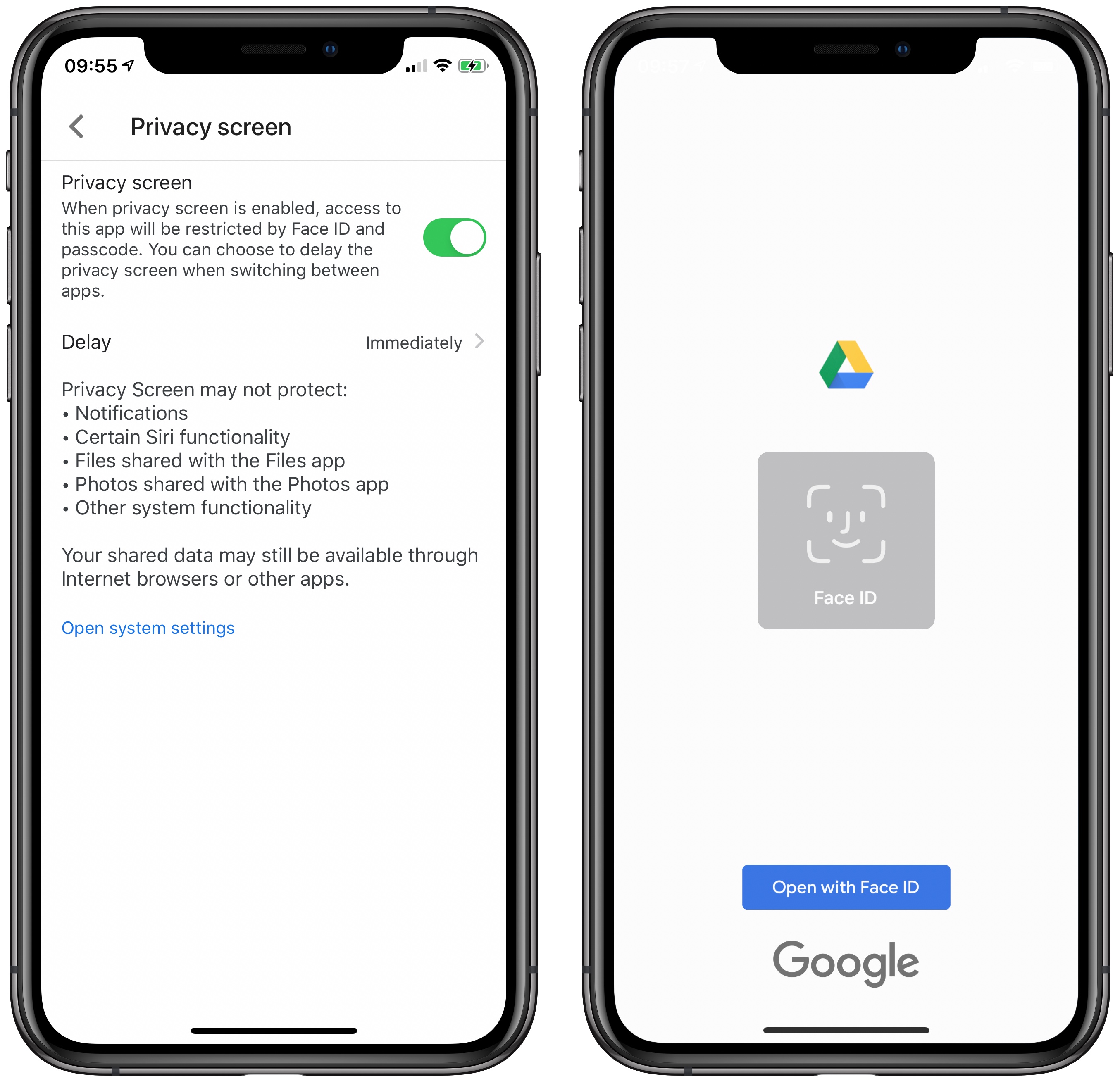
Similar features have been added to other third-party iOS apps containing particularly sensitive content, like password managers for instance. The idea is that even if you leave your device unlocked, anyone who tries to launch the Google Drive app still has to get past Face ID or
Touch ID to gain access to your storage cloud-based files.
Google Drive includes options to activate Privacy Screen immediately whenever the app is opened or returned to upon switching to another app, or to delay the request for 10, seconds, one minute, or 10 minutes, depending on your threat model.
You can enable the feature in the app by tapping the hamburger icon in the top left corner of the screen and selecting Privacy Screen. Toggle the switch and the Delay options are revealed.
As noted by
The Verge, Privacy Screen has limitations. On the settings screen, Google warns that it might not protect your Drive notifications, "certain"
Siri functionality, files shared with the Files app, photos shared with the
Photos app, and "other system functionality."
Google actually began talking about rolling out the feature back in April, but its implementation appears to have been delayed, and it's only just appeared in the latest update's release notes.
The Google Drive app for iPhone and iPad can be downloaded for free on the
App Store. [
Direct Link]
This article, "
Google Drive iOS App Gains Face ID and Passcode Protection Feature" first appeared on
MacRumors.com
Discuss this article in our forums

from MacRumors: Mac News and Rumors - All Stories https://ift.tt/3b7e8jz