Monday, 3 August 2020

Apple Shares Requirements for Default Third-Party Browser and Email Apps With Developers

Apple in iOS 14 plans to allow users to set a third-party app as the default email or browser app on an iPhone or iPad, replacing the current Apple-made default apps Safari and Mail.


Apple hasn't provided many details on the new feature to users, but as noted by MacStories' Federico Vittici, Apple has shared documentation with developers who want their apps to have the option to be set as a default email or browser app.

According to Apple, developers will need to meet certain guidelines and when those parameters have been met, there's an option to request a managed entitlement that will allow the app to work in lieu of Apple's own apps.

Default browser apps must provide a text field for entering a URL, search tools for finding relevant links on the internet, or curated lists of bookmarks. When opening a URL, apps must navigate directly to the specified destination and render the expected web content without redirecting to an unexpected location.

Apps designed with parental controls or a locked down mode can, however, restrict navigation. Email apps set as default must be able to send a message to any valid email recipient and must be able to receive a message from any email sender. Apple says that apps that offer user-controlled incoming mail screening features are allowed.

Third-party browser apps set as default will open up automatically when a URL is tapped instead of the Safari app, while third-party email apps will open when a mailto: link is tapped.

Apple's full documentation can be found on its developer website. Apps will need to be updated with entitlements to be able to be set as the default browser or mail app in ‌iOS 14‌, so no apps have that functionality at the current time.

We should begin seeing apps able to replace Mail or Safari as default apps close to when ‌iOS 14‌ launches this fall.
This article, "Apple Shares Requirements for Default Third-Party Browser and Email Apps With Developers" first appeared on MacRumors.com

Discuss this article in our forums


from MacRumors: Mac News and Rumors - All Stories https://ift.tt/2XpdauU

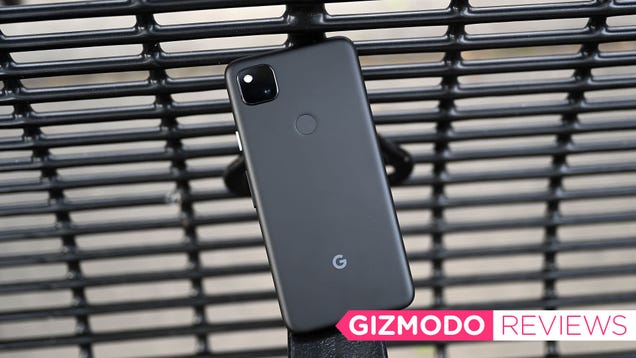
The Pixel 4a Is Perfect Smartphone Simplicity

As smartphones continue to get more sophisticated and more expensive, there’s a question that becomes increasingly relevant: How much phone do you actually need? Features like a built-in stylus, a foldable screen, and wireless charging are certainly nice to have, especially when they’re built into the same device you…

Read more...


from Gizmodo https://ift.tt/33m9Vsb

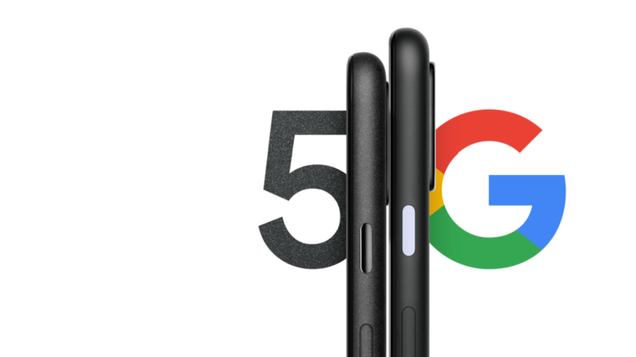
Google Confirms the Pixel 4a 5G and Pixel 5 Are Coming This Year

Alongside the brand new Pixel 4a, after months of rumors and speculation, today Google is confirming the upcoming arrival of the Pixel 4a 5G and Pixel 5G sometime later this year.

Read more...


from Gizmodo https://ift.tt/3i6JBGD

Monday's Best Deals: HP Back-to-School Sale, Aukey 12-in-1 USB-C Hub, Final Fantasy XIV: Shadowbringers, Gooloo 1500A Jump Starter, Taste of Asia Snack Mix, Reusable Face Shields, and More

An HP back-to-school sale on laptops, desktops, and printers, an Aukey 12-in-1 USB-C hub, a discounted copy of Final Fantasy XIV: Shadowbringers for PS4, a Goooloo 1500A jump starter, a Taste of Asia snack mix package, and a reusable face shield five-pack lead Monday’s best deals.

Read more...


from Gizmodo https://ift.tt/3gChdvL

AirPods 2 With Wireless Charging Case On Sale for $139.98 [Lowest Price Ever]


Apple's AirPods 2 with wireless charging case are back on sale for $139.98 today. That's the lowest price we've ever seen on Amazon. The popular earbuds retail for $199 so they're currently 30% off.

AirPods deliver 5 hours of listening time and 3 hours of talk time on a single charge. And they’re made to keep up with you, thanks to a Wireless Charging Case that holds multiple charges for more than 24 hours of listening time. Need a quick charge? Just 15 minutes in the case gives you 3 hours of listening time4 or 2 hours of talk time.

Features:
● Designed by Apple
● Automatically on, automatically connected
● Easy setup for all your Apple devices6
● Quick access to Siri by saying “Hey Siri” or setting up double-tap
● Double-tap to play or skip forward
● Charges quickly in the case
● Case can be charged either wirelessly using a Qi-compatible charging mat or with the Lightning connector
● Rich, high-quality audio and voice
● Seamless switching between devices


Share Article:
Facebook,  Twitter,  LinkedIn,  Email,  Reddit,  Digg,  Delicious,  StumbleUpon

Follow iClarified:
Facebook,  Twitter,  LinkedIn,  Newsletter,  App Store,  YouTube


from iClarified - Apple News and Tutorials https://ift.tt/2PgUCsm